Set up VS Code for Qyra
Configure YAML validation in VS Code so schema issues in your Qyra files surface as you edit
YAML validation
If you edit your Qyra YAML in VS Code — dbt model schema files, or charts and dashboards managed as content as code — set up schema validation so formatting and configuration issues are flagged before you compile or upload. You get autocomplete for supported properties and inline errors for invalid ones, using the same logic Qyra applies when compiling your project.
Install the YAML extension for VS Code.
Add the schemas to your settings.json file. Read this guide for details on how to edit settings.json.
"yaml.schemas": {
  "https://raw.githubusercontent.com/quanvio/qyra/main/packages/common/src/schemas/json/qyra-dbt-2.0.json": [
    "/**/models/**/*.yml",
    "/**/models/**/*.yaml"
  ],
  "https://raw.githubusercontent.com/quanvio/qyra/main/packages/common/src/schemas/json/chart-as-code-1.0.json": [
    "qyra/charts/*.yml"
  ],
  "https://raw.githubusercontent.com/quanvio/qyra/main/packages/common/src/schemas/json/dashboard-as-code-1.0.json": [
    "qyra/dashboards/*.yml"
  ]
}Adjust the chart and dashboard globs to match where you write content as code. The defaults above assume qyra download wrote to qyra/charts/ and qyra/dashboards/.
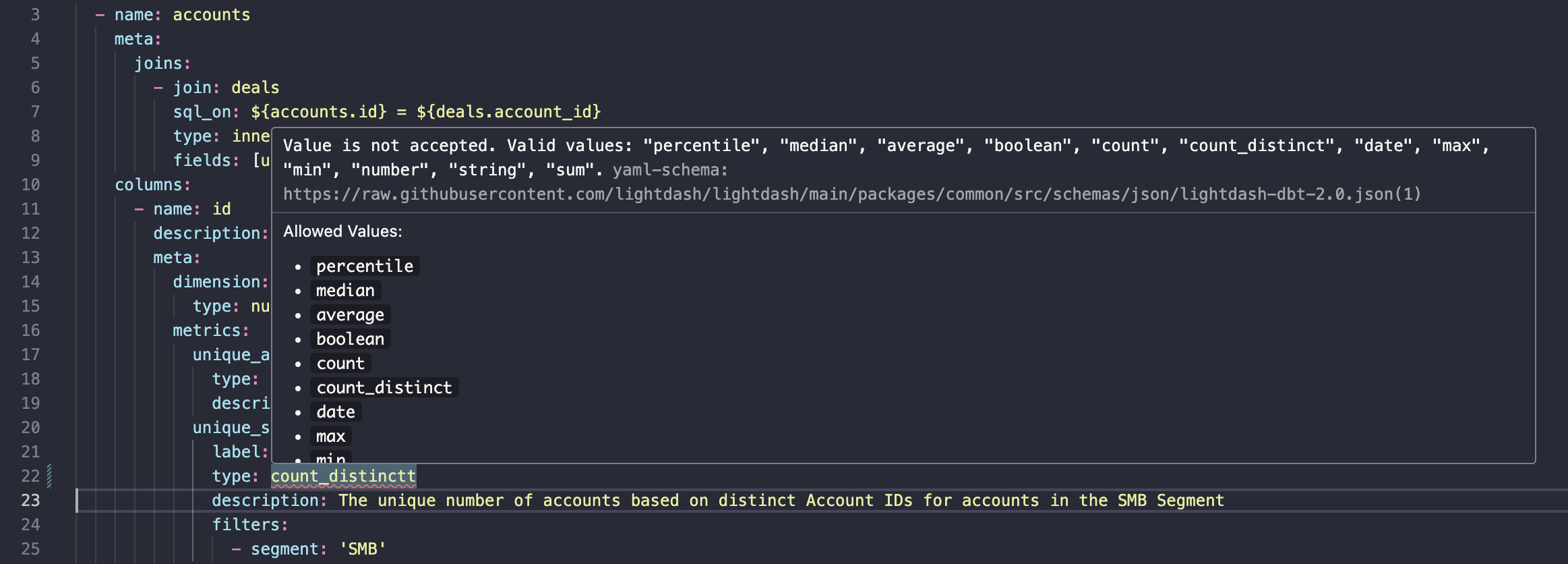
Once the extension is installed and your settings are updated, you'll see warnings like this when working on your schema.yml files.